Frequently asked questions
How LEVART really works: creating a stone, finding one, logging stages, locations, maps and privacy.
What LEVART is
What is LEVART?+
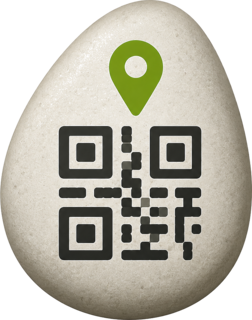
A collaborative, solidarity-based platform where painted stones travel the world with a specific mission. Each stone carries a QR code linking to its public page, where you can see its story and its route.
How does it work?+
Someone creates and activates a stone, gives it a name, a mission and a starting point, and attaches its QR code. When someone else finds it, they scan the QR, log where they found it with a photo, and leave it somewhere new so it keeps travelling. Every approved stage is added to the stone's public map.
Do I need to sign up or create an account?+
No — neither to find a stone nor to create one. Everything works from your phone's browser, with no account and no app to download.
What does activating a stone mean?+
Activating a stone gives it an identity inside LEVART: its public page is created, its unique QR code is generated, and you get a print-ready PDF with the QR. From that moment anyone can scan it and log stages.
What am I paying for when I create a stone?+
A digital service: creating and activating your LEVART stone, generating its identity and QR code, publishing its journey page and providing the PDF with the QR in several sizes. You are not buying a physical stone, and it is not a donation made by you: it is the price of the service, with LEVART's commitment to allocate 50% of the net amount to charitable purposes.
How much goes to charitable causes?+
LEVART commits to allocating 50% of the net amount — what is actually received after the payment platform's fees — to charitable purposes. The specific organisation or project will be announced publicly later on. The remaining 50% maintains and grows the project.
Which countries can I take part from?+
LEVART was born in Valencia (Spain), but it has no borders: anyone in the world can create a stone or log a stage. The site is available in Spanish, English and Italian.
Creating a stone
How do I create my own stone?+
From "Create a stone": upload a photo of the stone, name it, set its starting point, write its mission and destination, leave a contact email and complete the payment. When you finish you receive its QR code and the PDF to print.
Do I have to paint the stone myself?+
It isn't compulsory, but it's the best part. You can paint it yourself, as a family or with friends. What matters is that the stone is recognisable and that the QR is firmly attached and readable.
Where do I get a stone?+
Outdoors, always respecting local rules: stones must not be taken from protected areas or anywhere it is forbidden. A garden-centre or craft-shop stone works too. Look for a smooth, fairly flat surface for the QR.
How do I attach the QR?+
On the flattest, cleanest part of the stone. Use epoxy glue, waterproof silicone or outdoor adhesive. Press for a few seconds and let it cure properly — at least 12 hours — before releasing the stone. Always keep the white margin around the QR: it is needed for scanning.
Is printing the QR on adhesive paper a good idea?+
Yes, it's a simple and practical option. Print at 100% scale (do not fit to page), on matte white paper and at good quality so the contrast is high. Then protect it, because paper alone won't survive outdoors.
How do I protect the QR? Can I use resin?+
Yes. You can use clear laminate, transparent adhesive vinyl, outdoor varnish or resin. The only requirement is that the layer stays transparent, smooth and bubble-free: it must not yellow, distort the pattern or create glare that stops phones reading it.
Should I cover the QR completely?+
You can cover it completely as long as the layer is transparent and even. What you must not do is partially cover the code, trim its white margin or paint over it — any of those can make it unreadable.
What size should the QR be?+
The PDF you receive includes the QR at several true-to-life sizes (roughly 25 to 35 mm). Pick the one that fits the flat part of your stone: the flatter and reasonably larger it is, the easier it will scan.
Where can I leave the stone?+
Somewhere visible but safe: parks, trails, squares, beaches, or venues that give you permission. Never on private property without consent, in protected areas where leaving objects is forbidden, or on roads, railways, airports or any dangerous spot.
Finding a stone
I found a LEVART stone — what do I do?+
Scan its QR and you'll land on its page. There you can read its mission and log your stage: a photo at the place you found it, your name or nickname, and the location. Then, whenever you can, leave it somewhere new so it continues its journey.
Do I have to pay or register?+
No. Finding a stone and logging a stage is free and requires no account.
Do I have to give my email?+
No, the email is optional. If you leave it, we use it to let you know when your stage is published. Your email is never shown publicly.
What happens after I log a stage? Does it appear straight away?+
Not immediately: the stage stays pending review. Once the LEVART team approves it, it is published automatically on the stone's route and map, and — if you left your email — you get a notification.
Why do stages need approval?+
Because photos and texts written by strangers get published. Reviewing prevents inappropriate content, images that shouldn't be published and obvious location mistakes. It is a safety measure for everyone taking part.
Can I keep the stone?+
The stone belongs to its mission, not to whoever finds it. Even so, you can keep it for a while if that helps spread the word about LEVART or helps the journey continue. If you decide to keep it for good, you can say so when logging the stage: that stage becomes the place where the stone stayed.
Can I release it again? Where?+
Yes, and we hope you do. Leave it somewhere visible but safe, respecting the rules of the place: parks, trails, squares, beaches or venues with permission. You don't have to do it the same day — log the find first and release it when you get the chance.
What if it stays in the same city?+
That's fine: a stage in the same city is a perfectly valid stage and adds to the stone's story. The page will simply say the stone is "still in" that city instead of announcing a new one.
What happens if a stone gets lost?+
If a long time passes with no news, its page reflects that there are no updates and it may be marked as lost. If someone finds it later and logs a stage, the stone comes back to life and carries on.
Email updates
Can I find out if the stone moves again?+
Yes. If you leave your email and tick the follow box, we'll notify you each time that stone gets a new approved stage. It isn't a newsletter: they are updates about that specific stone's journey.
Do I have to give my email?+
Never compulsory. You can log a stage without leaving any email at all.
Which emails will I receive?+
At most two things: confirmation that your stage has been published (if you left your email) and, only if you explicitly ask by ticking the box, notifications about that stone's future stages. Receiving the confirmation does not subscribe you to anything: they are two separate decisions.
Can I stop following a stone?+
Yes, at any time. Every follow-up email includes a personal unsubscribe link that works without a password or account.
Location and maps
How does LEVART know where a stone is?+
Only from what people tell it. When creating a stone or logging a stage you can use your device's geolocation or type the city and country manually. LEVART does not track anything on its own and does not follow your device.
What's the difference between a GPS location and a manual one?+
A GPS location comes from your device when you grant permission, and it is usually very precise. A manual one is what you type (city and country, or a specific place) and is placed at the corresponding point. They are shown in different colours on the map.
Is the location shown exact?+
Yes. LEVART shows the registered location on the public map as it was provided. If you use your device's geolocation, the published position will be as precise as your phone reports it. We do not shift, round or hide coordinates: the map genuinely reflects where the stone has been.
Can anyone see exactly where the stone is?+
Yes — that's the whole point of the project: anyone can see the recorded point of each approved stage on the public map. That is why you should record the location where you leave the stone, not in a private place.
What if I share my location from home?+
That position will be published on the map. If you don't want to show a private location publicly — your home, for instance — record the location once you have already left the stone at its release point, or type another valid location of the route manually.
What do the map colours mean?+
Green: the stone's starting point. Blue: a location obtained from the device's geolocation. Yellow: a location declared manually by whoever logged the stage. Chequered flag: the mission's goal.
Missions and goals
What is a stone's mission?+
The reason it travels: what its creator wants to achieve. It can be reaching a specific place, crossing as many countries as possible, visiting a certain kind of spot, or any other idea. It is always shown on the stone's public page.
Can a stone have a specific destination?+
Yes. When creating it you can set a geographic destination — a city, a monument, a mountain — and that point appears on the stone's map marked with a chequered flag.
When is a goal considered reached?+
You don't need to leave the stone exactly on the marked point. If an approved stage gets within 10 km of the destination, LEVART considers the goal reached and shows it on the map.
What does a round-trip mission mean?+
That its creator would like the stone to try to return to its place of origin after completing its mission. It is a wish for the journey, not an automatic rule: on the map the chequered flag still marks the outbound destination.
End of the journey
When does a stone's journey end?+
When it stops circulating. That usually happens if the person who finds it decides to keep it and says so when logging their stage: that stage becomes the end point of the route and the page shows it publicly.
Can it travel again afterwards?+
Yes. Whoever has it can put it back into circulation at any time: if someone finds it and logs a new stage, the route continues from there.
Photographs
Can I upload photos? Can people appear in them?+
Photos are an essential part of every stage. We recommend photographing mainly the stone and the place where it is. If other recognisable people appear, make sure they agree before publishing the image.
Can children appear in the photos?+
Better to avoid it. Do not publish images where a minor is identifiable unless you have the consent of their parent or guardian. A photo of the stone in the landscape tells the story just as well and protects everyone.
Children and families
Can children take part?+
Yes, and we love it: LEVART is also designed to be enjoyed as a family. Children can paint stones, look for them, find them and help them continue their journey.
Can a minor log a stage?+
They can take part in the whole process, but whenever personal data has to be provided, photos uploaded or a location shared, they should do it with an adult's help. Payments are always made by an adult.
Can a child share their location or email?+
The rule is simple: if you are a minor, ask an adult for help before giving personal data, sharing your location, uploading photos or making a payment. In Spain, moreover, consent for children under 14 must be given by their parent or guardian.
Privacy and data
What data does LEVART store?+
Only what is needed for the stones to travel: the name or nickname you type, each stage's photo and text, the recorded location, the date and — if you provide it — your email. The full detail is in the Privacy Policy.
Is an email address required?+
Not to log a stage. To create a stone we do need a contact email, because that's how you receive its QR, its PDF and the payment confirmation. Emails are never public.
Is my location public?+
The location you register for a stone or a stage is: it is part of the stone's public route and is shown on the map as provided. Your email, by contrast, is never published.
How do I withdraw my cookie consent?+
Through the "Cookie preferences" link in the footer or the button on the Cookie Policy page. You can change your mind whenever you like: if you turn analytics off, we stop loading those tools.
How do I stop receiving updates about a stone?+
Use the unsubscribe link included in every follow-up email. It is immediate and needs no account or password.
Which analytics tools does LEVART use?+
Google Analytics 4 and Microsoft Clarity, and only if you accept the analytics cookie category. They are used in aggregate to understand how the site is browsed and to improve it; they are not used to identify you. The detail is in the Cookie Policy.